

⚠️ Depending on workspace settings, all users may not have permission to archive certain channels.
How to archive a Slack channel
-
Navigate to the channel you want to archive.
-
Click the ℹ️ in the top right corner.

-
A menu will be displayed, choose
Morefrom the options at the top.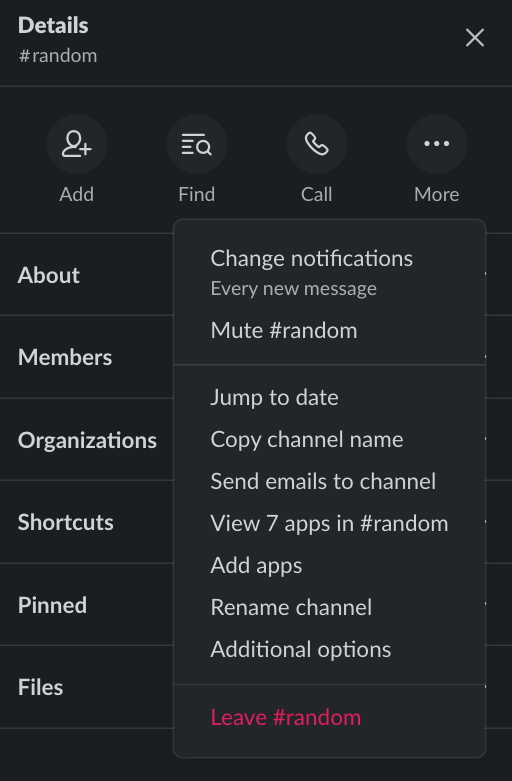
-
Choose
Additional optionsfrom the menu. -
Choose
Archive this channel.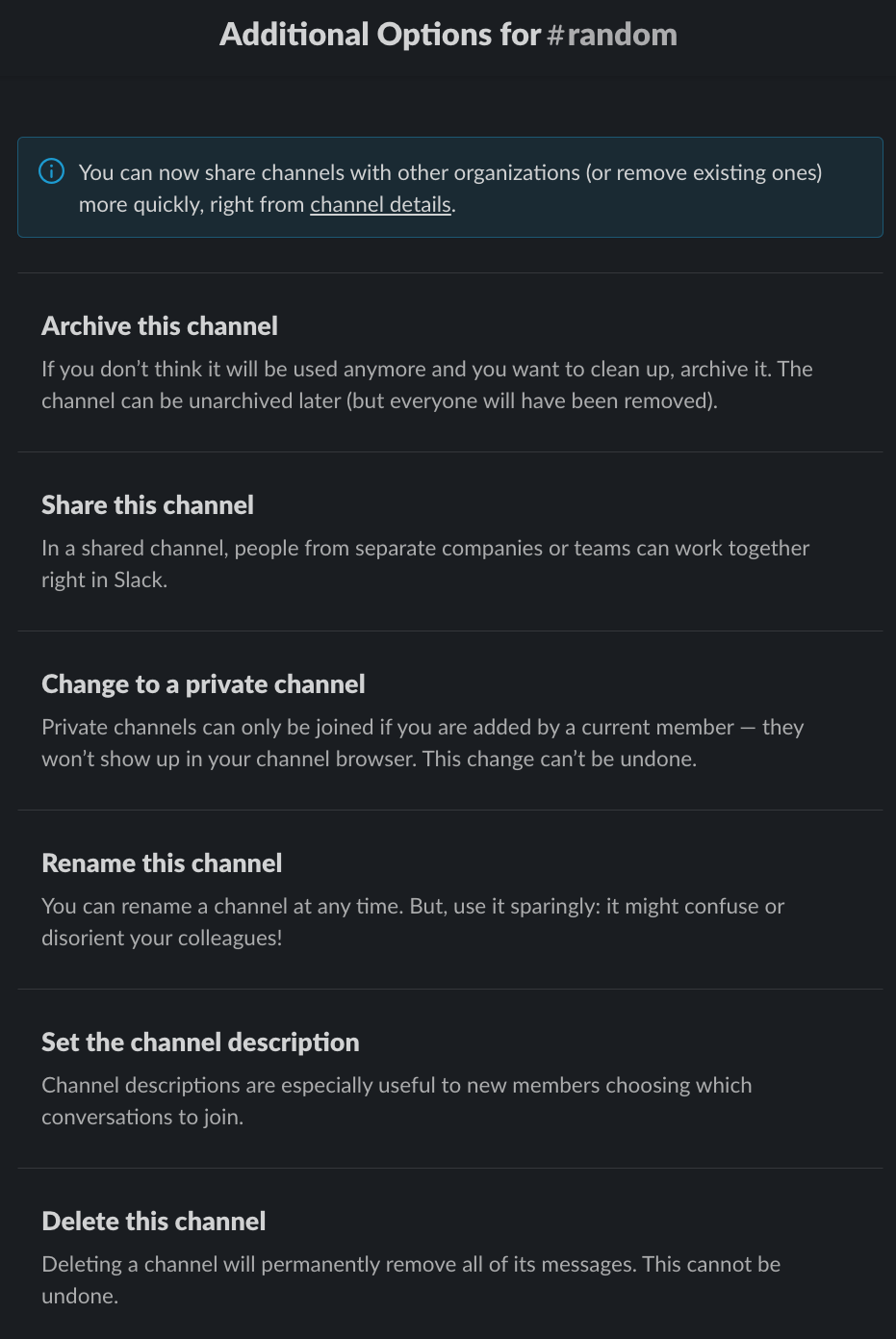
-
Confirm on the following screen with
Yes, archive this channel.⚠️ Members are removed from archived public channels, but they’ll be retained in private channels if the channel is restored.
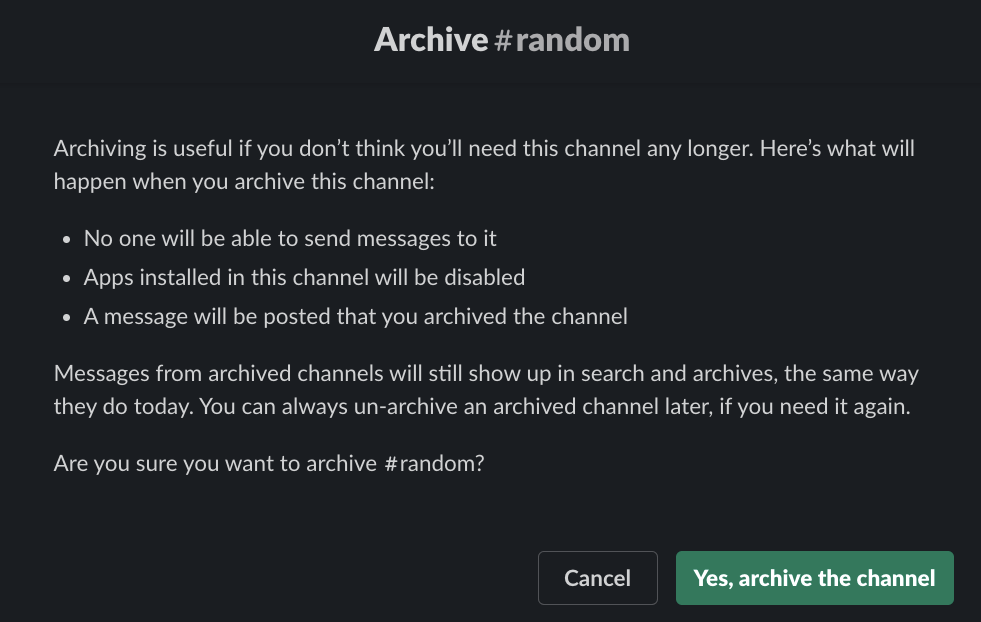
You’re all set, the channel is now archived! 🎉
If you ever need the channel back, you can always unarchive the channel.
Check out this post from Slack for more on archiving channels.
👷🛠️ Happybara uses Slack as a surface to solve problems, let us help you tackle yours.
We’ll work through the problem scope alongside you to fully understand how it affects your team, then iterate on a solution with you involved every step of the way. It could be a custom Slack app, an integration, or something else – we’ll help find the best option for you, not our sales team. Our customers "love" and "can’t live without" our solutions, are you next?Get in contact through support@happybara.io or Slack if you want to start saving time, energy, and frustrations.